01Featured pick
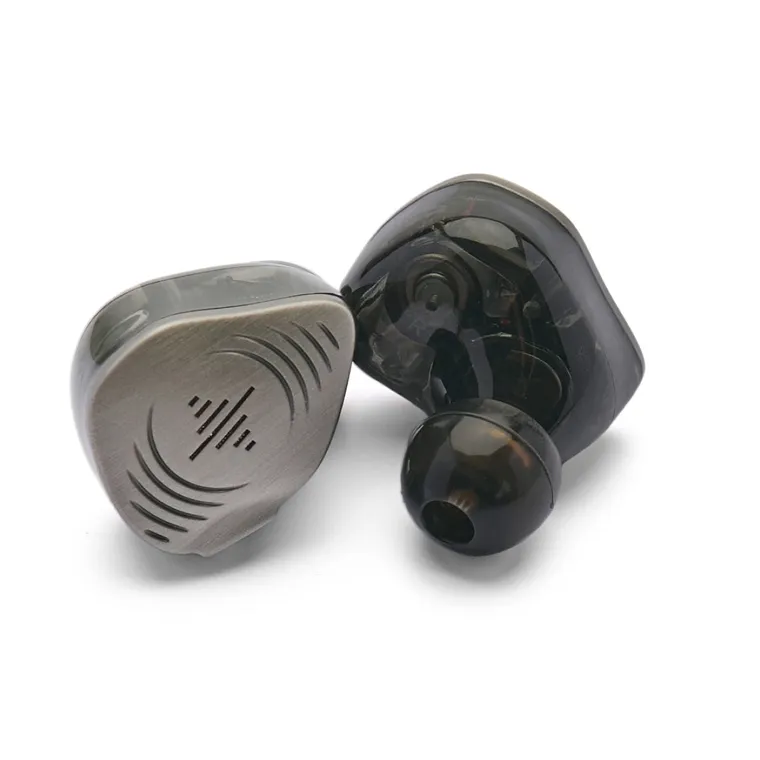
Wired in-ear monitors
Soundbrenner
Wave Pro 2
Four drivers per ear, a compact fit, and a proper accessory kit. The pick this guide builds around.
Read the full breakdownGaming audio / Buying guide
A closer listen to the games you love. Soundbrenner Wave Pro 2 leads this shortlist, with two familiar headsets for comparison.

Sponsored guide Produced with Soundbrenner. About this guide
See the current options and buy directly from Soundbrenner.
01 / The shortlist
In-ears, a wired headset, and a wireless headset. The format changes the setup as much as the specifications.
Wired in-ear monitors
Four drivers per ear, a compact fit, and a proper accessory kit. The pick this guide builds around.
Read the full breakdown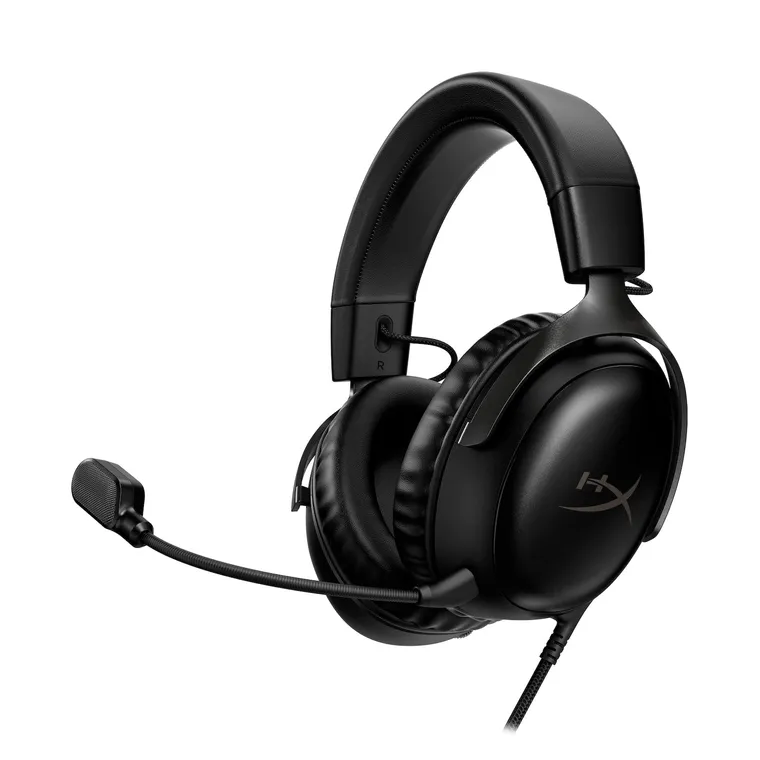
An over-ear fit with a detachable boom mic and wired connection options.
Comparison notes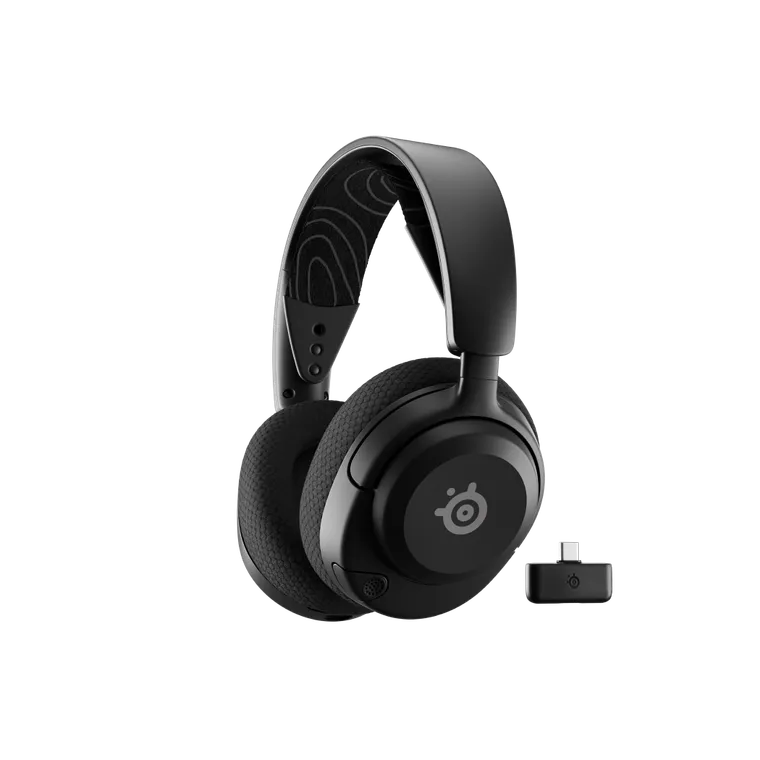
An over-ear wireless format, USB-C dongle, and retractable microphone.
Comparison notes02 / The closer look
Game audio deserves more than background status. The atmosphere, the dialogue, the little sounds between the big moments—it all belongs in the experience.
Sound & immersion
Wave Pro 2 combines two dynamic drivers with two planar drivers in each earpiece. Soundbrenner describes its tuning in terms of clarity and separation: keeping the different parts of a busy mix distinct.
That is an appealing starting point for gaming. Think dialogue over a soundtrack, the texture of a new environment, or small cues within a busy scene. The point is to give the listening side of the setup the same attention as the screen.
Driver count alone does not tell the whole story. The game’s audio mix, your output settings, and the seal in your ears all matter. Start with a comfortable fit and familiar audio before changing several settings at once.
Focus
An in-ear seal can reduce the outside sound reaching your ears. Wave Pro 2 includes foam tips alongside two silicone styles, giving you different ways to find that seal.
This is passive isolation, so fit does the work. It can help you settle into a game or soundtrack without adding full-size earcups to your setup. It is still worth leaving the volume at a comfortable level rather than turning it up to overpower the room.
The daily setup
The standard 3.5 mm connection needs no earphone charging and no Bluetooth pairing. It also avoids adding a wireless audio link between the output and your ears.
Use it at a PC, a compatible controller, or a handheld with a suitable headphone output. If your device needs an adapter, check support first. For voice chat, keep your existing microphone or look at the optional compatible mic cable.
Built to stay in the setup
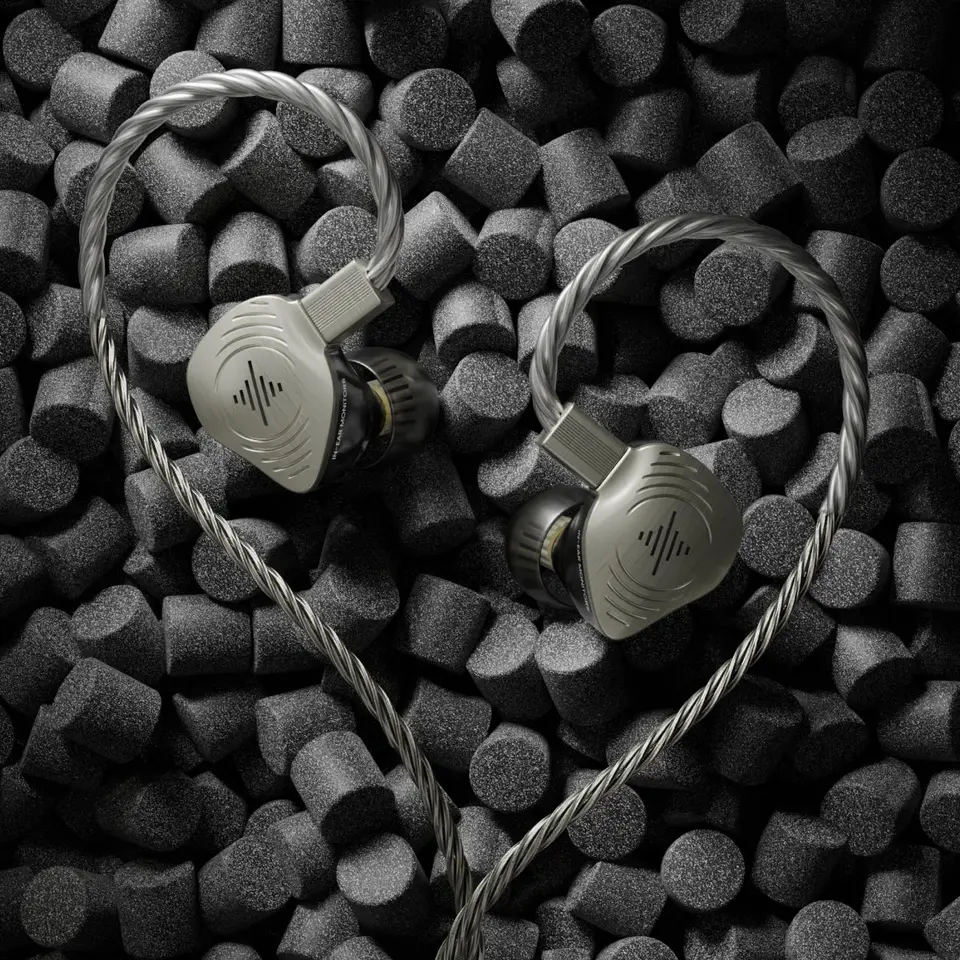
Wave Pro 2 puts the listening hardware in two small earpieces instead of a headband and earcups. The over-ear cable routing helps keep the cable in place, while a carrying case keeps the kit together away from the desk.
The detachable cable gives you a replacement route if the cable wears out. The included tip selection means you can work on comfort without immediately buying a second set of accessories. Those practical details are a large part of the package’s appeal.
A compact in-ear format, a detail-focused hybrid design, and an included kit that gives you room to get the fit right. Wave Pro 2 brings those pieces together in one wired listening setup.
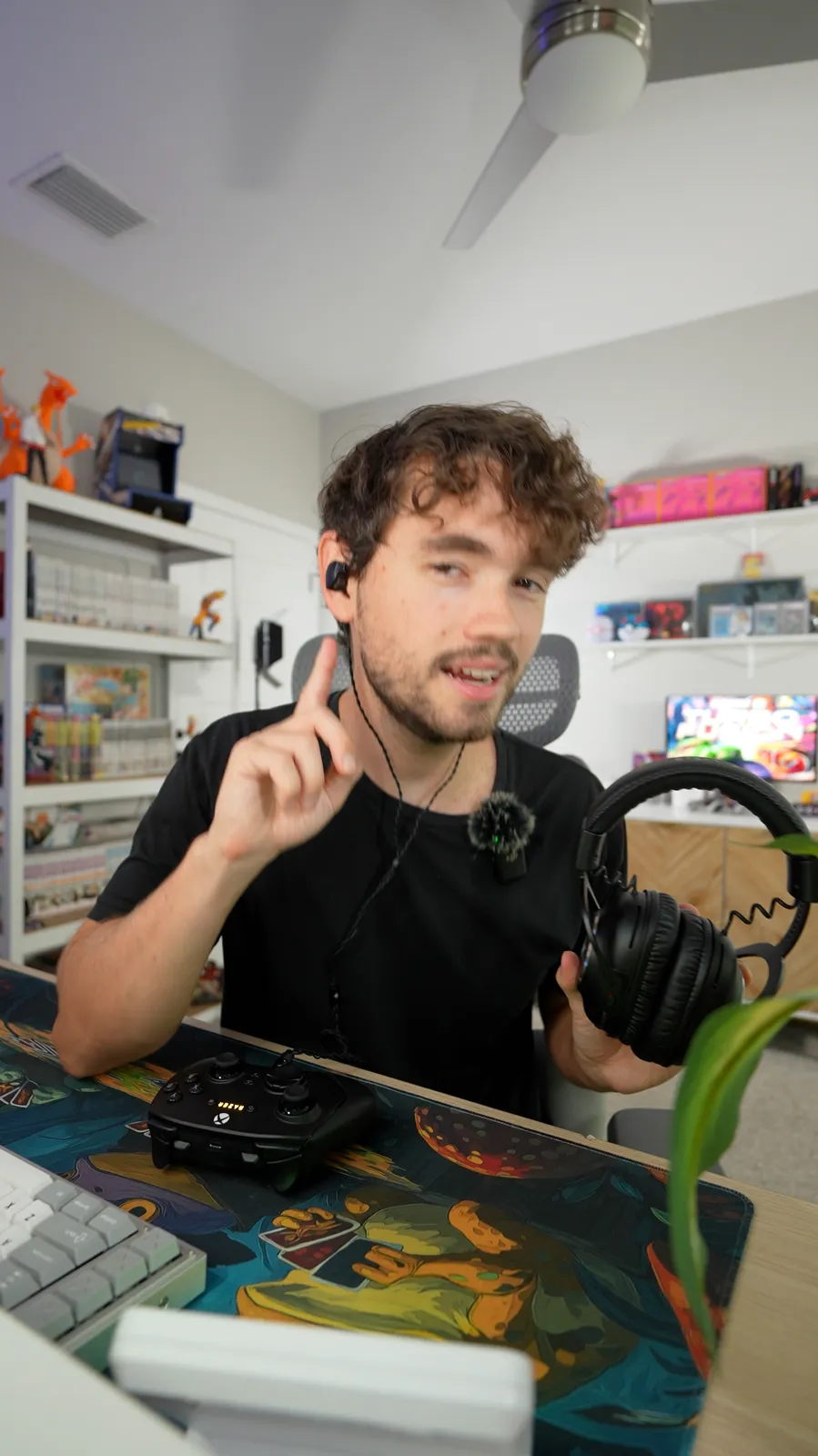
A note on the format
Not every gaming setup looks the same. A desk mic and PC, a controller on the sofa, a handheld between sessions—the listening connection is only one part of it.
That is why this guide separates listening from voice chat, and fit from specifications. Wave Pro 2 is the featured option for a compact wired setup. Check the connection and mic route you actually need, then spend a few minutes finding a comfortable seal.
03 / The kit & the fit
The earphones are only part of the package. The included fit options, cable, adapter, and case make this a considered starting kit.
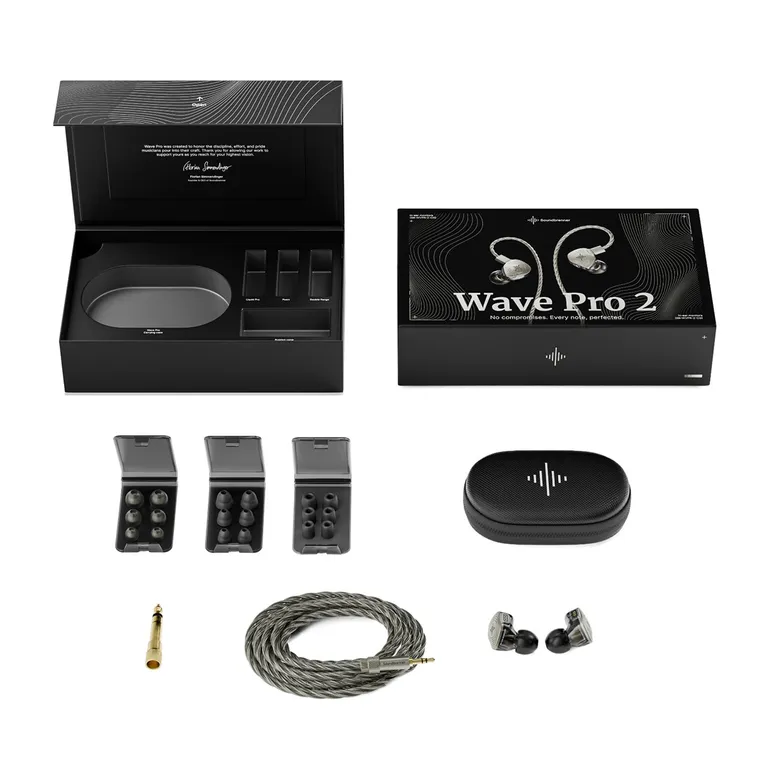
The compact listening hardware, with a hybrid driver array in each earpiece.
Over-ear routing, a 3.5 mm plug, and an included 6.35 mm adapter.
Liquid Pro, foam, and double flange. Each in small, medium, and large.
Keep the monitors and cable together between sessions.
Optional extras: the microphone cable and USB-C audio connector are sold separately. Start with the kit, then add what your devices need.
A comfortable, consistent seal is the starting point. Try the included styles rather than assuming the largest tip is the right one. Your left and right ears may need different sizes.
A firmer core and soft outer dome. A useful place to start when trying the supplied sizes.
Compress, insert, and let it expand in place, following the manual. Give it time to settle.
A different contact shape to try if the other styles do not give you a stable, comfortable fit.
A simple check: play familiar audio at a comfortable level. If bass or balance changes when you move, reseat the tips or try another size before reaching for EQ.
Use a suitable headphone output. Keep your existing desk or USB mic selected for chat.
Check the controller’s 3.5 mm socket and your console’s supported microphone route.
Use the headphone jack or a compatible audio adapter. A USB-C port alone is not a compatibility promise.
04 / Side by side
The shortlist includes three different approaches. Here are the practical distinctions before you choose a setup.
Scroll sideways to see the full comparison.
| Product | Connection | Voice chat | Power |
|---|---|---|---|
| 01Soundbrenner Wave Pro 2In-ear monitors | Wired · 3.5 mm | Separate mic / optional mic cable | No charging |
| 02HyperX Cloud IIIWired headset | 3.5 mm · USB-C · USB-A | Detachable boom mic | No charging |
| 03SteelSeries Arctis Nova 5 WirelessWireless headset | 2.4 GHz · Bluetooth | Retractable boom mic | Up to 60 hours¹ |
¹ Manufacturer battery estimate; actual use and settings affect runtime.
The wired Cloud III has 53 mm dynamic drivers, an over-ear fit, and a detachable boom mic. It connects through 3.5 mm, USB-C, or USB-A. It combines listening and chat in a headset; Cloud III Wireless is a separate model.
Nova 5 uses a 2.4 GHz dongle for gaming, with Bluetooth as a second connection. Quick-Switch changes between them rather than mixing both sources. It needs charging, and the Xbox-compatible version is Nova 5X.
These products add context for other headset, in-ear, and open-back designs. They sit outside the ranked Top 3.
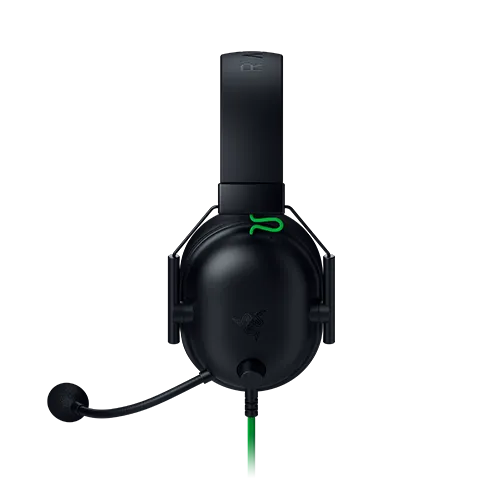
Analog headset context
This is the analog BlackShark V2 X, with a 3.5 mm connection, 50 mm drivers and a built-in boom microphone. Unlike Wave Pro 2, it combines an over-ear listening format with a headset microphone. USB and Pro versions are different products.
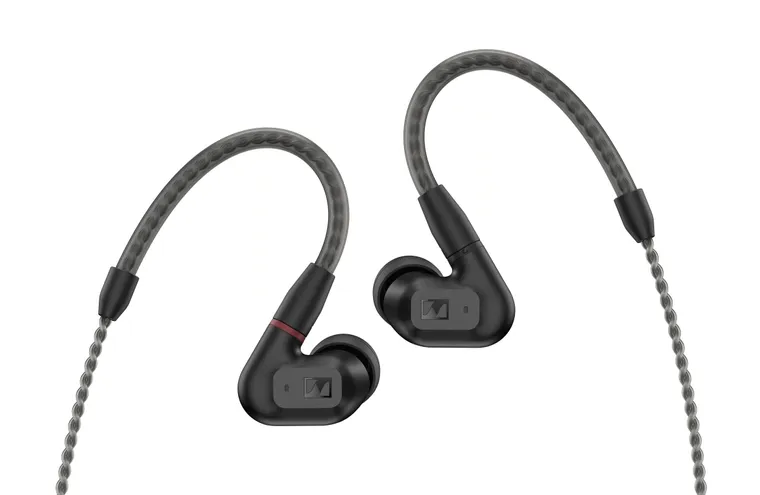
Another in-ear design
IE 200 uses a 7 mm dynamic driver and a detachable MMCX cable. Its standard package has no microphone. Its single-driver design and included tip options differ from the Wave Pro 2 package.
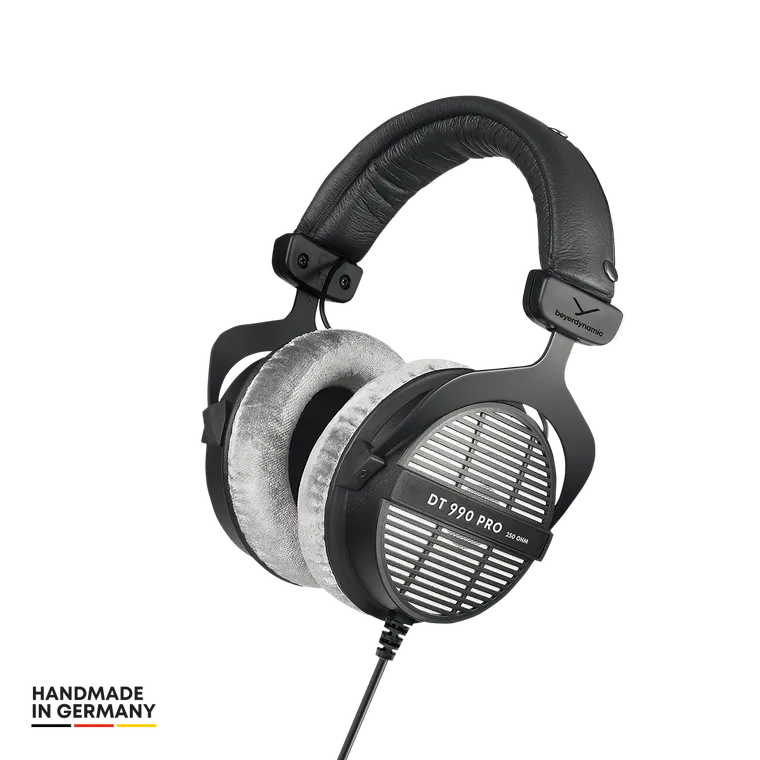
Open-back context
The pictured DT 990 PRO is the 250-ohm version. Its open-back construction lets sound pass in and out, unlike the sealed in-ear fit Wave Pro 2 aims to provide. There is no built-in microphone; headphone-output and amplification needs also deserve attention.
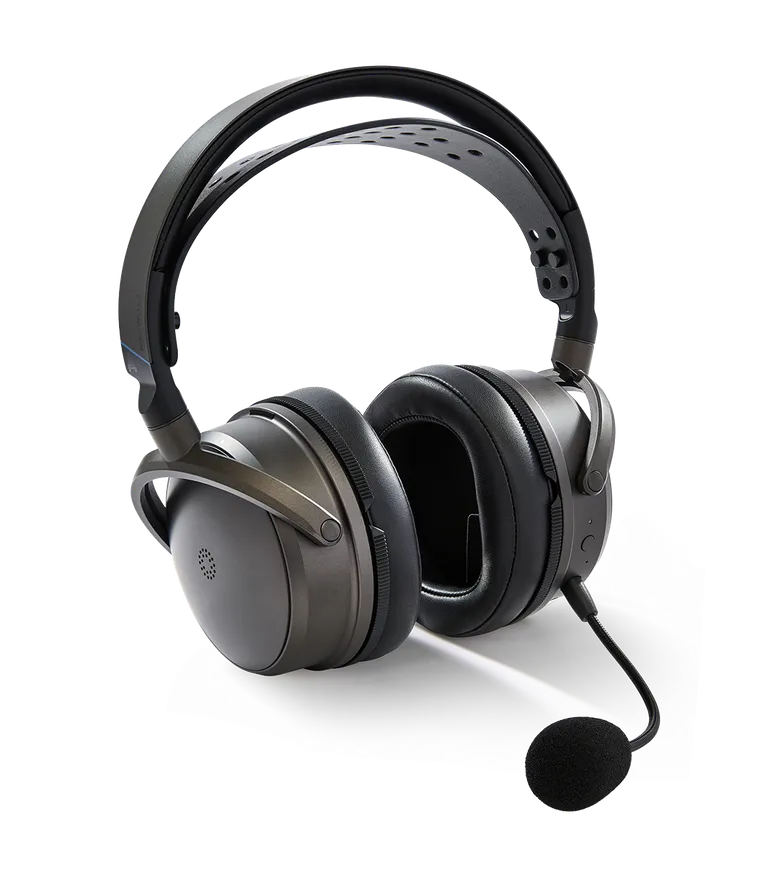
Planar wireless context
Maxwell 2 uses 90 mm planar drivers and includes a detachable boom microphone, wireless and wired connections. Audeze lists it at 560 g. It is a full-size headset, with separate console variants; this comparison does not cover Maxwell 2 ANC.
05 / The buying decision
Wave Pro 2 brings the in-ear format, the detail-focused driver design, and the fit options into one package. For a wired gaming setup that keeps the listening hardware small, it is the featured pick here.
At Soundbrenner’s current listed price, the standard kit is worth a closer look. Just account for any adapter or microphone cable your setup needs.
Choose your options and purchase directly from Soundbrenner. Optional accessories cost extra.
30-day return window · See eligibility & terms06 / Before you buy
The things to check once, before putting the kit in your setup.
A suitable 3.5 mm headphone output is the starting point. On a computer, select that output in your audio settings. For consoles, check your controller and console instructions. USB-C-only devices need a supported audio adapter; the optional Soundbrenner connector is sold separately.
The standard audio cable has no microphone. Use your existing supported desk or USB mic, or check the optional compatible microphone cable. Confirm console and adapter microphone support before buying accessories.
Fit is personal. The kit includes three styles in three sizes so you can try several combinations. Start with a comfortable seal, check each ear separately, and follow the manual. Avoid forcing a size that feels wrong.
No. The seal and ear tips provide passive isolation. That is why a stable fit matters, both for reducing outside sound and for consistent listening.
Yes. The standard wired monitors can play audio from a suitable output, whether it is a game, a playlist, or a film. The earphones do not need charging.
The standard kit contains the two monitors, detachable audio cable, nine pairs of tips, carrying case, and 6.35 mm adapter. The microphone cable and USB-C connector are optional purchases. Check the current kit and options on Soundbrenner’s page.
Soundbrenner lists a 30-day return window. Voluntary returns generally require unused, unworn items and original packaging; shipping conditions apply. Read the eligibility terms and check the current delivery estimate for your selected version before ordering.
Read Soundbrenner’s return policyThis is a sponsored buying guide produced with Soundbrenner. Wave Pro 2 is the featured recommendation; the other products provide format and specification context.
Product descriptions are based on manufacturer information. The ranking reflects the compact wired setup discussed here. This page does not present lab measurements or a side-by-side listening test. Prices, accessories, availability, and purchase terms are set by the retailer.
Privacy & site information